Every homeowner needs a drill. That’s not controversial. What’s controversial — or at least confusing — is walking into Home Depot, staring at a wall of 47 different drills ranging from $29 to $399, and trying to figure out which one you actually need. The yellow one? The teal one? The one with “brushless” on the box? What’s an impact driver? Do you need one?
Here’s the short answer: most homeowners need a cordless drill/driver. Some need an impact driver too. Almost nobody needs a hammer drill unless they’re drilling into concrete. And the difference between a $79 drill and a $200 drill is real, but it might not matter for how you use it.
Key Takeaways
- A cordless drill/driver handles 90% of homeowner tasks: hanging shelves, assembling furniture, drilling pilot holes, driving screws into wood and drywall.
- An impact driver is the better tool for driving screws, especially long ones or lag bolts. If you do any amount of deck building, cabinet installation, or framing, get one.
- 20V brushless is the sweet spot for most homeowners. 12V is fine for light work; 20V gives you headroom.
- Battery ecosystem matters more than the individual tool. Once you buy into DeWalt, Milwaukee, or Makita batteries, you’re married to that platform.
- Spend money on good bits, not just a good drill. A $200 drill with $5 bits performs worse than a $100 drill with $25 bits.
Drill/Driver vs. Impact Driver vs. Hammer Drill
These are three different tools that look similar and confuse everyone. Here’s what each one actually does.
Drill/Driver
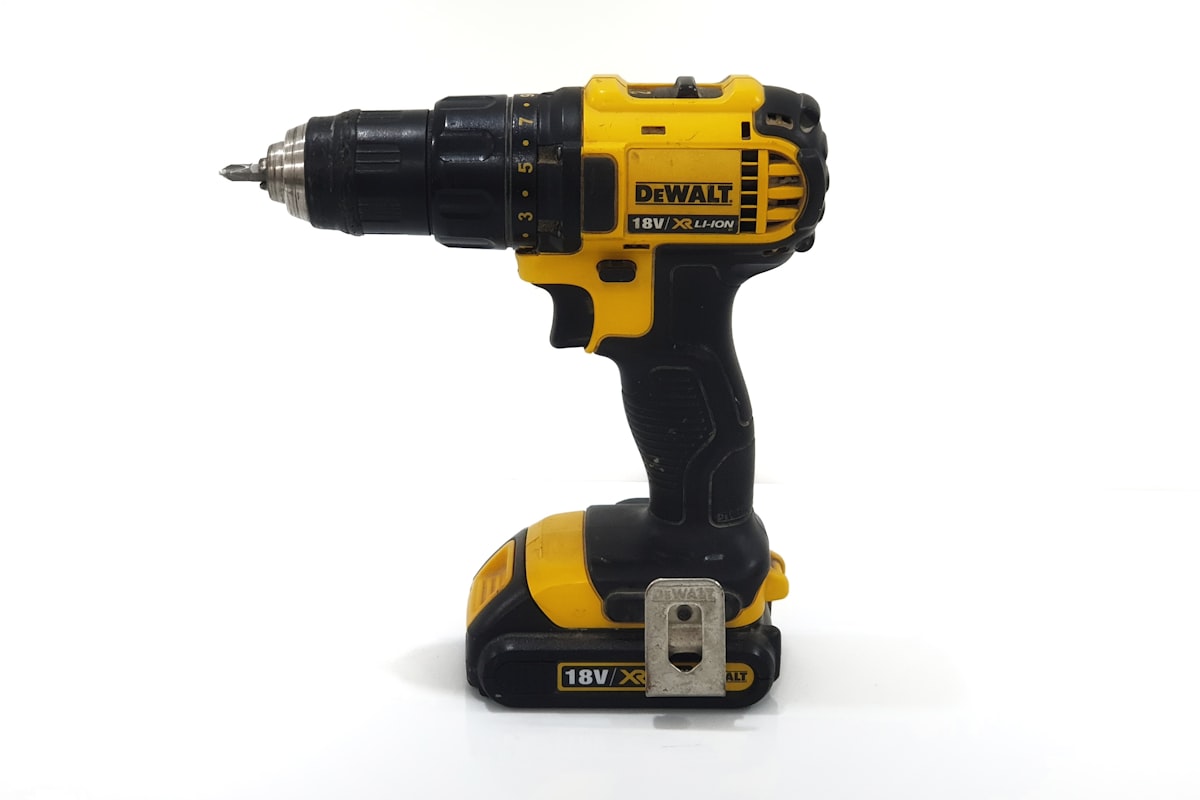
The standard cordless drill/driver is the Swiss Army knife of power tools. It drills holes with drill bits and drives screws with screwdriver bits. It has a clutch — that numbered ring behind the chuck — that lets you set torque limits so you don’t overdrive screws into soft material. It has a 3-jaw chuck that opens and closes to accept round-shank bits of various sizes.
This is the tool you need for: hanging pictures and shelves, assembling IKEA furniture, drilling holes in wood and drywall, installing hardware, driving screws into pre-drilled holes, and about a hundred other household tasks.
Limitations: It struggles with long screws in dense material (like 3-inch deck screws into pressure-treated lumber), large-diameter holes in hardwood, and anything involving concrete or masonry.
Impact Driver
An impact driver looks like a compact drill but works differently. Instead of steady rotational force, it delivers rapid concussive blows (impacts) rotationally — like a tiny hammer hitting the bit thousands of times per minute while spinning. This generates significantly more torque than a drill/driver of equivalent size, with less strain on your wrist.
It uses a 1/4-inch hex collet instead of a chuck, which means it only accepts hex-shank bits. You pop bits in and out with one hand — no tightening a chuck.
This is the tool you need for: driving long screws (deck screws, structural screws, lag bolts), removing stubborn screws, installing cabinets, building decks, and any task where a regular drill bogs down or cams out.
Limitations: It doesn’t have a clutch, so it’s easy to overdrive screws into soft material. It’s not ideal for drilling precise holes because the impacting action can cause the bit to wander. You can drill with it using hex-shank drill bits, but a drill/driver does it better.
Hammer Drill
A hammer drill adds a percussive forward hammering action to the standard drill rotation. This hammering action pulverises masonry, making it the tool for drilling into concrete, brick, stone, and block.
You need a hammer drill if you’re: mounting a TV to a concrete wall, installing tapcon anchors in a basement floor, drilling into brick for exterior fixtures, or any project that involves concrete or masonry.
Most homeowners don’t need a standalone hammer drill. Many 20V drill/drivers include a hammer drill mode for occasional masonry work. That’s usually sufficient for a handful of tapcon anchors or concrete screws per year. If you’re doing regular masonry work, you want a dedicated rotary hammer (a different and more powerful tool), not a hammer drill.
So What Should You Buy?
If you own one power tool: A 20V cordless drill/driver.
If you own two power tools: A 20V cordless drill/driver and a 20V impact driver from the same battery platform. Many manufacturers sell these as a combo kit for less than buying them separately.
If you work with concrete occasionally: A 20V drill/driver with a hammer drill mode, plus an impact driver.
Voltage and What It Actually Means
Cordless tool voltages — 12V, 18V, 20V — are a rough proxy for power, but the relationship isn’t as straightforward as the marketing suggests.
12V (also labelled 10.8V by some brands): Compact, lightweight tools designed for light-duty work. Great for around-the-house tasks, furniture assembly, and working in tight spaces. The Milwaukee M12 and Bosch 12V lines are excellent. If you’re a homeowner who hangs a shelf twice a year and assembles the occasional bookcase, a 12V drill/driver is all you need and it’s noticeably easier to handle than a larger tool.
18V/20V (these are the same thing): Here’s an industry quirk that confuses everyone. DeWalt labels their tools “20V MAX” while Makita and Milwaukee label the same battery voltage as “18V.” They’re measuring the same thing differently — DeWalt measures nominal voltage (battery at full charge), while others measure under load. The tools are equivalent in power class. This is the mainstream homeowner and professional platform. Enough power for virtually any task, from drilling pilot holes to driving 3-inch screws into hardwood.
The “MAX” label is marketing. A “20V MAX” battery delivers 20 volts only when fully charged and under no load. During actual use, it operates closer to 18V. Don’t let the number comparison trick you into thinking DeWalt 20V is more powerful than Makita 18V — they’re the same class.
Higher-voltage platforms (36V, 40V, 60V) exist for heavy-duty professional tools — circular saws, reciprocating saws, grinders. You don’t need these for a drill.
Brushed vs. Brushless Motors
Almost every drill on the shelf now is available in both brushed and brushless versions. Brushless tools cost $20-$50 more. Is it worth it?
Brushed motors use carbon brushes that make physical contact with the motor’s commutator. They work fine, but the brushes wear out over time (typically after 1,000-3,000 hours of use) and the friction generates heat, which wastes energy.
Brushless motors use electronic controllers instead of physical brushes. Benefits: 10-25% more runtime per battery charge, more power output from the same battery, longer motor life (no brushes to wear out), less heat, and generally more compact designs.
For a homeowner who uses a drill a few times a month, a brushed motor will last years with no issues. For anyone using tools regularly — weekend woodworkers, renovators, anyone building a deck — the brushless upgrade is worth the extra $30-$50 for the runtime improvement alone. Battery life is the limiting factor on any cordless tool, and brushless motors squeeze more work from every charge.
Chuck Types and Sizes
The chuck is the part at the business end that holds the bit. Two things matter: type and size.
Keyless chucks are standard on all modern cordless drills. You tighten and loosen them by hand. Single-sleeve keyless chucks (turn one ring) are more convenient than double-sleeve (hold one ring, turn another). Most modern drills use single-sleeve.
1/4-inch hex collets are standard on impact drivers. Bits click in with a spring-loaded collar. One-handed bit changes are the primary advantage.
Chuck size determines the maximum bit shank diameter the drill accepts. Most homeowner drills have a 3/8-inch chuck, which accepts bits up to 3/8-inch shank. Some 20V drills have a 1/2-inch chuck, which accepts larger bits and provides better grip. If you’re buying a 20V drill, get the 1/2-inch chuck version — the price difference is minimal and it gives you more versatility.
Top Picks at Every Budget
These recommendations are based on actual performance, not just specs. I’ve used most of these extensively.
Budget: Under $100
Drill/driver: The Ryobi ONE+ HP 18V Brushless Drill ($79 bare tool, $99 with battery and charger) is the best budget option right now. Ryobi tools aren’t construction-site tough, but for homeowner use they’re genuinely good — and the ONE+ battery platform has over 300 tools in it, making it the largest ecosystem by far. Your $99 investment today gives you access to a $25 bare-tool circular saw, $30 jigsaw, and dozens of other tools down the road.
Impact driver: The Ryobi ONE+ HP 18V Brushless Impact Driver ($79 bare tool) pairs perfectly with the drill above and shares batteries.
Mid-Range: $100-$200
Drill/driver: The DeWalt DCD800 20V MAX XR Brushless Drill ($149 bare tool) is a professional-grade drill at a reasonable price. Excellent chuck, good balance, strong clutch, and part of DeWalt’s massive 20V MAX battery platform. The Milwaukee M18 Compact Brushless Drill ($129 bare tool) is equally good — pick whichever platform you want to invest in.
Impact driver: The DeWalt DCF850 ATOMIC 20V MAX Brushless Impact Driver ($129) is compact, powerful, and has a three-speed selector for better control. Milwaukee’s M18 FUEL Compact Impact ($149) is the other obvious choice.
Combo kit (best value): The DeWalt 20V MAX Drill/Impact Driver Combo Kit ($199-$229 with two batteries and charger) gets you both tools, two batteries, and a charger for less than buying the drill alone with a battery. This is typically the best-value entry point into a battery platform.
Premium: $200+
Drill/driver: The Milwaukee M18 FUEL Gen 4 Drill ($179 bare tool) is arguably the best cordless drill available. Precise electronic clutch, excellent ergonomics, absurd power for its size. The Makita XFD16 18V LXT Brushless Drill ($169 bare tool) is its closest competitor and preferred by many professionals for its lighter weight.
Impact driver: The Milwaukee M18 FUEL Gen 4 Impact Driver ($179 bare tool) is the benchmark. 2,000 foot-pounds of torque, four-speed selector, and a compact body that fits in tight spaces. If you do any serious fastening work — deck building, furniture making, structural framing — this is the one.
Bits and Accessories: Where the Drill Meets the Work
Your drill is only as good as what you put in it. A dull or cheap bit makes any drill perform badly.
Driver bits: Buy a quality set. The Milwaukee Shockwave or DeWalt FlexTorq impact-rated bits ($15-$25 for a set) are designed to absorb the impact and last significantly longer than generic bits. For Phillips and square-drive screws, use the correct size — a #2 Phillips for standard drywall and wood screws, a #2 square (Robertson) for cabinet and pocket-hole screws. Using the wrong size bit is the number-one cause of stripped screw heads.
Twist drill bits: A decent set of high-speed steel (HSS) bits covers most homeowner needs. The Bosch CO14B 14-piece cobalt set ($35) handles wood, metal, and plastic. For masonry, you need carbide-tipped masonry bits (sold separately). Don’t use masonry bits in wood or wood bits in masonry — they’re designed for different materials and perform terribly when mismatched.
Spade bits and hole saws: For larger holes (3/4-inch to 1-1/2-inch), spade bits ($10-$15 for a set) work in wood and are cheap. For clean holes, especially in finished surfaces, hole saws ($5-$15 each) produce a much better result. The Lenox or Milwaukee hole saw kits ($30-$50) cover the most common sizes.
Magnetic bit holder: A $5-$8 magnetic bit holder that extends your reach by 3-6 inches is genuinely one of the most useful accessories you can buy. It holds the screw on the bit so you can drive it one-handed. Every drill should have one.
Right-angle attachment: A $15-$25 right-angle attachment lets you drill and drive in spaces where the drill won’t fit straight on — between joists, inside cabinets, behind pipes. Don’t buy one until you need it, but know it exists.
Battery Ecosystem: The Lock-In Nobody Talks About
This is the most important long-term consideration when buying your first cordless tool, and it’s the thing that gets the least attention.
When you buy a DeWalt 20V MAX drill, you’re not just buying a drill. You’re buying into a battery platform. That battery fits DeWalt’s circular saw, jigsaw, reciprocating saw, oscillating tool, sander, blower, flashlight, and about 200 other tools. Once you own two or three batteries and a charger, buying the next tool as a “bare tool” (no battery included, $30-$80 cheaper) makes obvious economic sense.
This means switching brands later is expensive. Going from DeWalt to Milwaukee means your $200+ worth of batteries and chargers become paperweights. Choose your platform carefully based on the full range of tools you might want, not just the drill.
DeWalt 20V MAX: The broadest professional tool line. Strong in construction, woodworking, and general trades. Available everywhere. Batteries are among the cheapest per amp-hour.
Milwaukee M18: The professional favourite, especially for electricians, plumbers, and HVAC techs. Their specialty tools (cable cutters, press tools, pipe threaders) have no real competition. The M18 FUEL line represents the top tier of cordless performance.
Makita 18V LXT: Preferred by many finish carpenters and woodworkers for lighter weight and excellent ergonomics. The broadest 18V line of any brand, though they’re also transitioning some tools to 40V MAX XGT.
Ryobi ONE+ 18V: The homeowner platform. Over 300 tools, the lowest prices, available exclusively at Home Depot. Performance is a step below the pro brands, but for homeowner use, the value is hard to beat. If you’re buying tools for weekend projects rather than earning a living with them, Ryobi deserves serious consideration.
Bosch 18V: Strong in certain categories (rotary hammers, oscillating tools) but a smaller overall lineup. Less widely available than the others.
My advice: if you’re a homeowner who does occasional projects — maybe a bathroom renovation, some shelf hanging, assembling furniture — Ryobi is the smart money. If you’re doing regular, more demanding work — building a deck, serious woodworking, renovating rooms — DeWalt or Milwaukee gives you tools that perform better and last longer.
Maintenance and Care
Cordless drills are low-maintenance tools, but a few habits extend their life significantly.
Keep the chuck clean. Dust and debris inside the chuck reduce grip. Blow it out with compressed air periodically. If it starts slipping on bits, clean it.
Store batteries at partial charge. Lithium-ion batteries last longest when stored at 40-60% charge, ideally at room temperature. Don’t leave them on the charger permanently and don’t store them fully depleted. This matters most for seasonal tools you might not touch for months.
Don’t force it. If the drill bogs down, you’re either using the wrong bit, the wrong speed, or asking too much of the tool. Forcing a drill generates heat, wears the motor, and can break bits. Let the tool do the work.
Use the right speed. Large drill bits and driving screws require lower speeds and higher torque. Small drill bits and drilling in metal require higher speeds. Most drills have a two-speed gearbox — low gear (1) for driving and large bits, high gear (2) for drilling with smaller bits. Use them.
Common Mistakes and How to Avoid Them
Not drilling pilot holes. Driving a screw into hardwood without a pilot hole splits the wood and strips the screw. A pilot hole should be slightly smaller than the screw’s core diameter (the solid shaft, not including the threads). This takes 10 seconds and prevents a ruined workpiece.
Wrong clutch setting. The clutch numbers on a drill/driver aren’t decoration. Lower numbers = less torque before the clutch slips. For drywall screws into studs, start around 8-10 and adjust. For delicate work like cabinet hinges, start at 3-4. The drill symbol (no clutch) is for drilling holes only — never use it for driving screws unless you want to overdrive them.
Using dull bits. A dull bit generates heat, wanders off centre, and produces ragged holes. If you’re pressing hard and the bit isn’t biting, it’s dull. Replace it. Drill bits are consumable items, not lifetime investments. A sharp $3 bit outperforms a dull $15 bit every time.
Ignoring the bubble. Many drills have a built-in bubble level. Use it. A hole that’s 2 degrees off plumb means a shelf that slopes visibly. Take the extra second to level the drill before you pull the trigger.
Frequently Asked Questions
Can an impact driver replace a drill?
Mostly, but not completely. An impact driver drives screws better than a drill and can handle most drilling tasks with hex-shank drill bits. But it lacks a clutch (making it easy to overdrive screws in delicate material), and the impacting action can cause bits to wander when starting holes in hard material. For many homeowners who primarily drive screws and occasionally drill holes, an impact driver as a sole tool works. But the ideal setup is both — a drill for drilling and an impact for driving. The combo kits make this affordable.
How long do cordless tool batteries last?
Modern lithium-ion batteries last 3-5 years or roughly 1,000 charge cycles before noticeable capacity loss. Higher-quality batteries (like Milwaukee’s High Output or DeWalt’s POWERSTACK) tend toward the longer end. Batteries degrade faster if stored fully charged or fully depleted, exposed to extreme temperatures, or left on the charger continuously. A 2.0Ah battery drives approximately 200-300 screws per charge; a 5.0Ah battery drives 500-750. For most homeowner use, a 2.0-3.0Ah battery is plenty.
Is it worth buying refurbished tools?
Factory-refurbished tools from the manufacturer (sold through outlets like the DeWalt, Milwaukee, and Makita factory outlet stores on eBay) are excellent value — typically 30-40% off retail with a manufacturer warranty. These are tools that were returned, inspected, repaired if needed, and retested. I’ve bought several refurbished Milwaukee tools and they’ve been indistinguishable from new. Third-party refurbished tools (sold by random sellers) are riskier and the warranties are often worthless.
Do I need a corded drill for anything?
Corded drills provide unlimited runtime and typically more power per dollar than cordless. They’re useful for extended drilling in metal or masonry, running hole saws through thick material, or any task where you’d drain a battery every 15 minutes. For 95% of homeowner tasks, a cordless tool is more convenient and more than powerful enough. The only scenario where I’d recommend a corded drill specifically is if you’re regularly drilling large holes in steel or mixing mortar and thinset — and for those tasks, a corded hammer drill or mixing drill is the right tool anyway.
What’s the deal with those oscillating multi-tools?
They’re not drills, but they’re worth knowing about. An oscillating multi-tool (like the DeWalt DCS356 or Milwaukee M18 FUEL Multi-Tool) uses a blade that vibrates rapidly side to side. It’s indispensable for cutting flush against surfaces, trimming door casings for flooring, cutting nail-embedded wood, removing grout, and sanding in tight spaces. If you’re doing any renovation work — like a bathroom remodel — an oscillating tool earns its keep on the first project. It’s typically the third cordless tool people buy after a drill and impact driver.