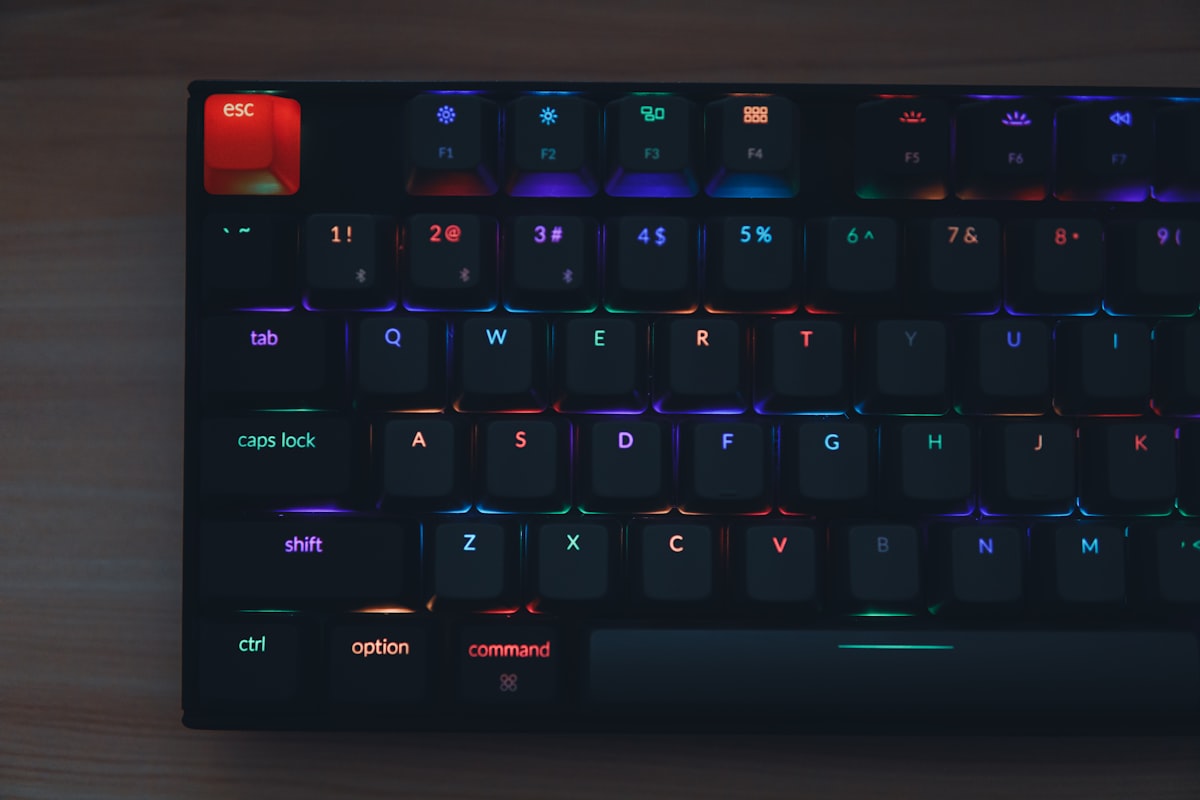
You’re going to spend eight or more hours a day pressing keys. That’s somewhere around 40,000 keystrokes if you’re a developer, writer, or anyone who works primarily on a computer. The tool you use for this deserves more thought than “whatever came in the box.” Mechanical keyboards cost more than the $15 membrane board your office IT department hands out, but the difference in typing feel, durability, and — honestly — daily satisfaction is hard to overstate once you’ve experienced it.
This guide is for people who want to buy a good mechanical keyboard without falling down a six-month rabbit hole of enthusiast jargon. Though I should warn you: the rabbit hole is fun, and the odds of owning just one mechanical keyboard are not in your favor.
Key Takeaways
- Switches matter more than brand — linear for smooth keypresses, tactile for a bump of feedback, clicky if you want audible clicks (and don’t share an office)
- Hot-swap boards let you change switches without soldering — always worth the small premium for your first board
- Full-size keyboards are mostly unnecessary — 75% and TKL (tenkeyless) layouts save desk space without sacrificing much
- You can get an excellent mechanical keyboard for $50-80 — you don’t need to spend $200 unless you want to
- Sound and feel are customizable — tape mod, foam, lubed switches, and different keycaps can transform a budget board
Switch Types: The Heart of the Keyboard
The switch under each key determines how the keyboard feels and sounds. There are three main categories, and understanding them is 80% of making a good purchase decision.
Linear Switches
Linear switches travel straight down with no bump and no click. The force curve is smooth and consistent from top to bottom. They’re popular with gamers because there’s no tactile resistance that could slow down rapid keypresses, but plenty of writers and programmers prefer them too for the smooth, quiet typing experience.
Cherry MX Red is the classic linear switch: 45g actuation force, 2mm actuation point, 4mm total travel. It’s been around for decades and remains perfectly fine, if a bit scratchy compared to newer options. Gateron Yellow offers a similar feel at a lower price with smoother stock performance — frankly, it’s the better buy unless you specifically need Cherry’s name on the box.
For a premium linear experience, Gateron Oil King switches come pre-lubed from the factory and sound deep and smooth without any modification. They’re around $0.35-0.45 per switch, which is reasonable for what you get.
The knock on linears: some people find the lack of feedback makes it easy to accidentally press keys. If you bottom out hard on every keystroke, linears might feel mushy. Try a few before committing if you can.
Tactile Switches
Tactile switches have a noticeable bump partway through the keypress — you feel when the key actuates. Think of it as physical feedback that says “yep, that keypress registered” without the audible click. Most office workers and typists end up here because the bump aids accuracy without annoying coworkers.
Cherry MX Brown is the most common tactile switch, and it’s mediocre. I know that’s a strong statement for the world’s most popular switch, but the tactile bump is so subtle it barely registers. It feels like a slightly gritty linear rather than a proper tactile. If you’re going tactile, look elsewhere.
Gateron Brown has the same problem. The “upgrade” options are where tactile gets interesting: Akko CS Lavender Purple ($0.25/switch) has a sharper, more defined bump and is one of the best budget tactile switches available. Wuque Studio Morandi is a step up with a rounder, more satisfying bump and excellent factory smoothness.
For the enthusiast-minded, Boba U4T switches have an aggressive, pronounced bump that leaves zero doubt about actuation. They’re divisive — some people find the bump too sharp, others won’t type on anything else. They’re also Boba U4 (without the T) if you want the same bump but silenced. Good for shared spaces.
Clicky Switches
Clicky switches produce an audible click sound in addition to the tactile bump. They’re satisfying for the typist and absolutely maddening for everyone within earshot. If you work from home alone or have a private office, clicky switches are a legitimate choice. If you work in an open office, your colleagues will plot against you.
Cherry MX Blue is the standard clicky. The click is produced by a separate click jacket mechanism, which makes the upstroke slightly sluggish. Kailh Box White uses a click bar mechanism that feels crisper and more consistent than Cherry’s design, with a lighter 50g actuation force.
Honestly, clicky switches are a small and shrinking segment of the market. Most people who want feedback are better served by a sharp tactile switch, which provides the physical sensation without the noise.
Form Factors: Size Matters
Keyboards come in several standard sizes. The one you choose affects desk space, functionality, and portability.
Full Size (100%)
The whole thing: number pad, function row, navigation cluster, arrow keys. If you do a lot of spreadsheet work or data entry involving numbers, the dedicated numpad is valuable. For everyone else, a full-size keyboard eats desk space that would be better used for mouse movement. Your right hand has to travel a long way to reach the mouse, which adds up ergonomically over thousands of hours.
Tenkeyless / TKL (80%)
Drops the number pad, keeps everything else. This is the classic enthusiast choice and probably the best starting point if you’re unsure. You get all the function keys and arrow keys without the numpad taking up space. Your mouse moves roughly 3-4 inches closer to the center of your body, which is better for shoulder alignment.
75% Layout
Compresses the TKL layout by eliminating the gap between key clusters. You still get the function row and arrow keys, but everything is packed tighter. The Keychron Q1 and GMMK Pro popularized this layout. It’s arguably the best balance of compactness and functionality for most people.
The drawback: some 75% layouts use non-standard key sizes for the right-side modifier keys, which can make finding replacement keycaps slightly annoying.
65% Layout
Drops the function row entirely. You get arrow keys and a few navigation keys (Delete, Page Up, Page Down) but access F1-F12 through a function layer (hold Fn + number row). Popular with minimalists and those with small desks. The Keychron Q2 and KBD67 Lite are excellent options here.
Can you live without dedicated function keys? If you’re a developer who constantly hits F5 for debugging or F12 for dev tools, the function layer adds a slight friction. Most people adapt within a week.
60% Layout
The minimum viable keyboard: just the alphanumeric keys, modifiers, and nothing else. Arrow keys, function row, and navigation keys are all on function layers. The Anne Pro 2 and Tofu60 are iconic 60% boards.
This layout demands commitment. You’ll use function layers constantly. Some people love the minimalism and the extra desk space. Others find it genuinely limiting. Try a 65% before going to 60% — the arrow keys alone are worth the extra row of keys.
Hot-Swap vs. Soldered
Hot-swap PCBs have sockets that let you pop switches in and out without soldering. Pull a switch out with a switch puller, push a new one in. Takes seconds.
Soldered PCBs require desoldering to remove switches — a process involving a soldering iron, desoldering pump or wick, and patience. One mistake can damage a pad and ruin the PCB.
For your first mechanical keyboard, get hot-swap. The price premium is usually $10-20, and it lets you experiment with different switches without buying a new keyboard each time. Even if you think you know exactly what switch you want, you might change your mind after a month of use. Hot-swap makes that a $20 switch swap instead of a $150 keyboard replacement.
The only argument for soldered: some enthusiasts claim soldered connections produce a more consistent typing feel. The difference, if it exists at all, is imperceptible to anyone who isn’t specifically looking for it.
Budget Picks: Excellent Keyboards Under $100
The mechanical keyboard market in 2026 is fiercely competitive at the budget end. You can get genuinely excellent boards without spending premium prices.
Keychron C3 Pro ($35-45)
Wired TKL with hot-swap, QMK/VIA firmware support, and a solid aluminum frame. This is the keyboard I’d recommend to someone who says “I just want a good mechanical keyboard and I don’t want to think about it too hard.” The stock keycaps are basic ABS, which you’ll eventually want to replace, but the board itself is excellent for the price.
Royal Kludge RK84 ($55-65)
A 75% wireless board (Bluetooth + 2.4GHz + wired) with hot-swap and RGB backlighting. Build quality is surprisingly good for the price. The included Gateron-style switches are acceptable, but the real value is in the platform — swap in better switches and keycaps and you have a board that punches well above its price point. Battery life is solid at 200+ hours with RGB off.
Keychron V1 ($70-85)
Keychron’s V-series hit a sweet spot that’s hard to argue with. The V1 is a 75% with hot-swap, QMK/VIA support, a gasket mount design, and pre-applied sound dampening foam. The included K Pro switches are decent (and available in linear, tactile, or clicky). The build quality feels like a $150 keyboard.
Akko MOD 007 ($90-110)
Pushing the top of the budget range but worth mentioning: a gasket-mounted 75% with an aluminum case, hot-swap, and Akko’s own switches (which are quietly some of the best value switches in the market). The stock configuration sounds great without any modification.
Premium Picks: When You Want the Best
Keychron Q1 HE ($200)
The Hall Effect version of Keychron’s beloved Q1. Hall effect switches use magnets instead of physical contacts, allowing adjustable actuation points — you can set each key to actuate at 0.1mm or 3.8mm or anywhere in between. For gaming, this is genuinely useful: set WASD keys to rapid actuation and typing keys to deeper actuation. The aluminum case, gasket mount, and QMK/VIA support make this one of the most versatile keyboards available.
Mode Sonnet ($300-400)
Mode Design’s Sonnet is a 75% with a stacked acrylic or aluminum case, multiple plate options (aluminum, FR4, POM), and exceptional build quality. It’s designed to sound amazing out of the box and be infinitely tunable. This is “buy it once and never look back” territory.
HHKB Professional Hybrid Type-S ($280)
The contrarian pick. The Happy Hacking Keyboard uses Topre switches — electro-capacitive switches that feel like nothing else. Not mechanical in the traditional sense, but the “thock” is legendary. The layout is unusual (no arrow keys, Control where Caps Lock normally is), and it’s either brilliant or infuriating depending on your adaptability. Programmers who love it really love it.
Keycaps: The Affordable Upgrade
Swapping keycaps is the single highest-impact modification you can make to a keyboard. Stock keycaps on budget boards are usually thin ABS plastic — shiny, slippery, and prone to showing wear. Good aftermarket keycaps transform the look, sound, and feel.
PBT vs. ABS: PBT (polybutylene terephthalate) is more durable, resists shine, and has a slightly textured feel. ABS (acrylonitrile butadiene styrene) is smoother, develops shine over time, but can have more vibrant colors. Most enthusiasts prefer PBT for daily use.
Profile matters. Cherry profile is low and sculpted — the most popular for a reason. OEM profile (what most stock keycaps use) is taller. SA profile is dramatically tall and spherical. MT3 is sculpted and deeply cupped. Try Cherry profile first; it’s the safe bet.
Dye-sub vs. double-shot: Dye-sublimated legends are printed into the plastic and will never wear off, but only work on lighter-colored keycaps. Double-shot keycaps use two layers of plastic molded together — the legend physically cannot fade. Double-shot is the gold standard for longevity.
Budget pick: Akko ASA or Cherry profile keycap sets run $25-35 for a full set with excellent quality. Premium: GMK double-shot ABS sets are the enthusiast standard at $100-150, with group buys that can take months to deliver. NicePBT sets from CannonKeys offer near-GMK aesthetics in PBT for $60-80.
Sound Modding: Making Your Board Sound Better
Mechanical keyboard sound has become its own subculture, complete with sound tests on YouTube and ASMR-adjacent videos. But practical sound modding isn’t just about aesthetics — a well-modded board is genuinely more pleasant to use.
Tape Mod
Apply 2-3 layers of masking tape or painter’s tape to the back of the PCB. This dampens high-frequency ping and adds a deeper, “thockier” sound signature. Cost: essentially zero. Time: five minutes. Effect: surprisingly significant. This is the first mod everyone should try.
Foam
Adding foam between the PCB and plate, or between the PCB and case bottom, absorbs hollow resonance. Many modern keyboards include foam from the factory (the Keychron V-series, for example). If yours doesn’t, cut-to-fit EVA foam or Poron foam sheets work well. Sorbothane is overkill for most keyboards but undeniably effective at killing case ping.
Lubing Switches
This is the most time-intensive mod but also the most impactful. Applying a thin coat of Krytox 205g0 lubricant to the switch housing, stem, and spring eliminates scratchiness and creates a remarkably smooth keystroke. The difference between a stock switch and a lubed switch is dramatic — it’s the single biggest improvement you can make to how a keyboard feels.
The catch: lubing a full board means disassembling and hand-lubing 60-90+ switches. Budget an hour or two. Some people find it meditative. Others find it tedious enough to just buy pre-lubed switches (Gateron Oil King, Akko V3 Cream Yellow) and call it good.
Stabilizer Mods
Stabilizers support the larger keys (spacebar, Shift, Enter, Backspace). Stock stabilizers are almost always rattly and mushy. Lubing stabilizer wires with dielectric grease and housing contact points with Krytox 205g0 eliminates the rattle. The Holee mod or band-aid mod can further tighten the fit. Stabilizer tuning arguably matters more than switch lubing for overall sound quality, because the spacebar is the key you hear most.
A Note on Wireless and Connectivity
Wireless mechanical keyboards have matured significantly. Bluetooth is adequate for typing but adds noticeable latency (5-15ms) that competitive gamers will feel. 2.4GHz wireless (via USB dongle) typically achieves 1ms polling rates — indistinguishable from wired for all but the most demanding use cases.
If you use multiple devices — say, a work laptop and a personal desktop — a keyboard with Bluetooth multi-device pairing lets you switch between them with a key combo. The Keychron K-series and Royal Kludge boards do this well.
For desk setups where the keyboard stays put, wired is still the simplest option: zero battery management, zero latency concerns, zero connectivity issues. USB-C is standard now, and most boards support the cable being unplugged and replaced.
If you’re spending significant time at a keyboard and use AI coding tools or writing assistants, the ergonomic improvement from a good mechanical keyboard compounds with productivity software gains. When your hands are comfortable, you focus on the work instead of the tool. If you also work across different operating systems, make sure your keyboard firmware supports key remapping — QMK/VIA lets you customize layouts per OS, which is invaluable for switching between Mac and Windows/Linux.
Frequently Asked Questions
Are mechanical keyboards actually better for typing?
They’re better for sustained typing over long periods. The consistent actuation force, defined travel, and tactile feedback reduce finger fatigue compared to mushy membrane keyboards. Whether they make you type faster is debatable and highly individual — most people see a modest speed improvement after adjustment, but the real benefit is comfort and reduced strain over 8+ hour sessions. The durability advantage is also real: mechanical switches are rated for 50-100 million keypresses, while membrane keyboards typically degrade after 5-10 million.
How loud are mechanical keyboards?
It varies enormously. A clicky switch board with no dampening is genuinely loud — comparable to a typewriter. A linear switch board with sound-dampening foam and lubed switches can be quieter than some membrane keyboards. If noise is a concern, look for silent switches (Cherry MX Silent Red, Boba U4, Gateron Silent Yellow) and boards with built-in dampening. The Keychron Q-series with gasket mount and silicone dampener is impressively quiet for a mechanical board.
Do I need to build a custom keyboard, or are prebuilt options good enough?
Prebuilt options in 2026 are excellent. Five years ago, building custom was the only way to get a good experience. Now, boards like the Keychron V1 and Q1 come with gasket mounts, sound dampening, and decent stock switches for a fraction of custom build costs. Building custom makes sense if you want specific switch/plate/case combinations or enjoy the process itself. For most people, a good prebuilt with swapped keycaps and maybe lubed stabilizers is all they need.
What’s the deal with QMK and VIA?
QMK is open-source firmware that gives you complete control over what every key does — layers, macros, tap-dance (different actions on tap vs. hold), combos, RGB effects, everything. VIA is a graphical configurator that sits on top of QMK, letting you remap keys in real time through a web or desktop app without reflashing firmware. Having QMK/VIA support means your keyboard is endlessly customizable. Once you start remapping keys, you won’t want to go back to boards that don’t support it.
How long do mechanical keyboards last?
Decades, if you maintain them. The switches are rated for 50-100 million actuations (roughly 10-20 years of heavy daily use). The PCB and case don’t wear out under normal conditions. Keycaps develop shine with ABS plastic (replace them) or last nearly indefinitely with PBT. The main failure points are the USB port (solvable with a new cable on boards with detachable USB-C) and the stabilizers (replaceable). There are mechanical keyboards from the 1980s still in daily use — that’s the kind of longevity you’re investing in.